
Why Pockli Has No Accounts
Oana · April 18, 2026 · 5 min read
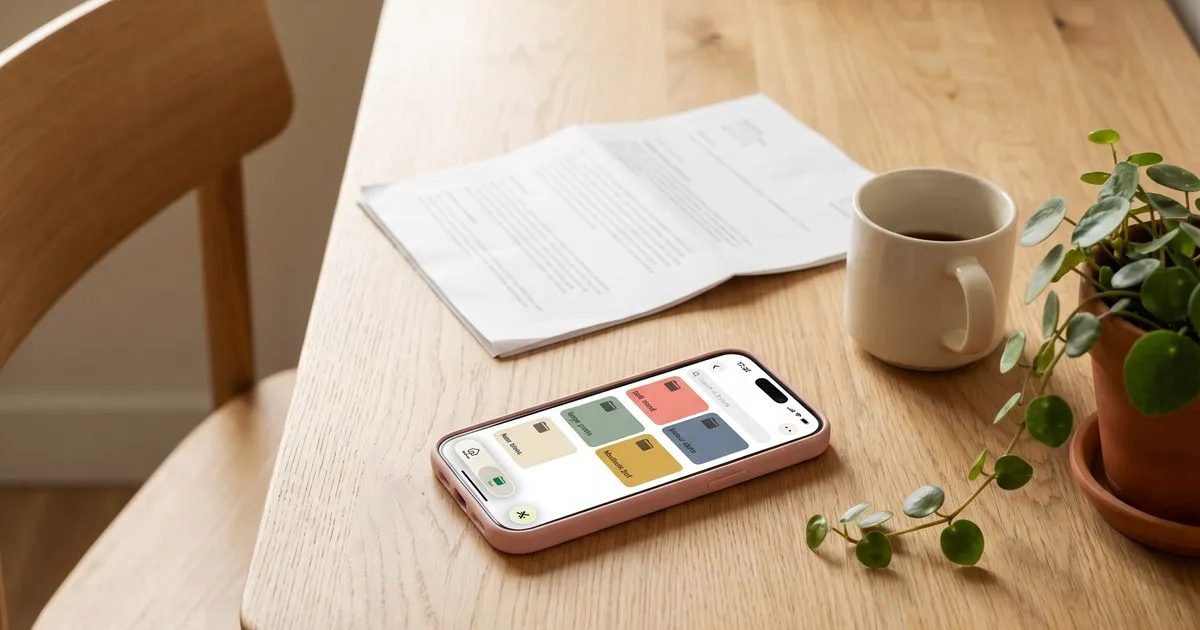
When I first started sketching what would become Pockli, I had to make a decision most app-builders never think twice about.
Should new users have to sign up?
Email, password, verification link, maybe a phone number. That’s the default — so default, you barely notice it anymore. Open almost any new app, and the first screen is a wall asking you to prove who you are before you can even see what the app does.
I don’t like that wall. Neither does anyone I’ve talked to about it.
So Pockli doesn’t have one. You download the app and you’re scanning thirty seconds later. No email. No password. No verification. No account to remember, no password to forget, no profile page, no settings screen listing all the “permissions you’ve granted to Pockli” — because there’s nothing to grant. There is no account.
This wasn’t a minor design call. It’s one of the decisions that shaped what Pockli is and what it isn’t. Here’s the thinking behind it — and the tradeoffs we accepted along the way.
What “no account” actually means
When I say Pockli has no account system, I mean it in a literal, architectural sense:
- There is nothing to sign up for. No email. No username. No password.
- There are no Pockli servers. Your documents don’t pass through any computer we operate.
- Your documents live on your device. The iPhone in your pocket is where your scans are stored.
- If you turn on iCloud sync, they sync through your iCloud — the same system Apple uses for Notes, Files, and Photos. Not ours.
- We don’t know who you are. We have no record of you. If you never tell us you’re using Pockli, we will never know.
Put differently: we hold none of it. No Pockli server, no database of users, no record of who scanned what.
The reasoning
The reasoning is simple: your documents are yours.
When you scan your lease, your kid’s vaccination record, your car insurance — you’re not making something for anyone else to use. You’re keeping track of what’s already yours. Those are papers you’ll need months or years from now, when your landlord asks for the lease or the pediatrician calls.
A document scanner shouldn’t need to sit between you and your own files. It shouldn’t need to know who you are. It should just help you find things faster.
The fewer layers in the way — accounts, cloud servers, company servers, logins, recovery flows — the simpler the whole system stays. For you and for us.
The tradeoffs (the honest part)
This is where the “no account” decision stops being a brag and starts costing something. Both for you and for us.
What it costs you:
If something happens to your phone, we can’t restore your documents for you. There’s no “log into Pockli on your new device” button — we don’t have a copy on our side to give back.
What covers you instead is Apple’s own infrastructure. If iCloud Backup is turned on in your iPhone settings — which most people have enabled — Pockli’s documents are included in your phone backup and come back when you restore a new device from it. And for live, continuous sync across your iPhone, iPad, and Mac — so a scan made on one appears on the others — there’s our optional iCloud Sync, a Pro feature. Either way, your documents flow through your own iCloud, not ours.
There’s also no “share my account with my partner” feature, because there’s no account to share. Shared iCloud folders are on our roadmap and will be the way to collaborate — again, through your iCloud, not through us.
What it costs us:
A lot, actually. What we do have is Apple’s default App Analytics — aggregate, anonymous numbers on downloads, active users, and crashes, the same baseline every iOS developer sees. That’s it.
What we don’t have is third-party analytics inside the app. No tools tracking which buttons you tap, which folders you make, how long you spend on each screen. We don’t know what anyone actually does in Pockli.
The website follows the same idea. No cookies, no Google Analytics, no tracking pixels — pockli.com is quiet too.
Most business advice for early apps is built on the opposite of this. You’re supposed to track the funnel, measure the cohorts, run re-engagement campaigns, optimize retention. Every piece of that playbook needs a tracker.
We don’t have any of it. If Pockli grows, it’ll be because people tell other people — not because we’re optimizing a funnel we can’t see.
The version I’d want to use
When I imagine the version of a document scanner I’d want on my own phone — the one I’d trust with my kid’s medical records and my own tax paperwork — it isn’t the version with a signup flow, a dashboard, and a password to remember.
It’s the one that opens, scans, files the document in the right folder, and gets out of the way. The one where my documents stay mine, on my phone, and nobody — including the people who built the app — has any way to see them.
That’s the version Pockli is trying to be.
No account. No email. No sign-up. Just scan, and it’s there.
If you want to see what that feels like, you can download Pockli from the App Store. It takes about thirty seconds from install to your first scan — and you’ll never see a signup screen.
Try Pockli Scan
Your documents deserve a better home.
