
Best Way to Organize Medical Records on iPhone
Oana · July 14, 2026 · 6 min read
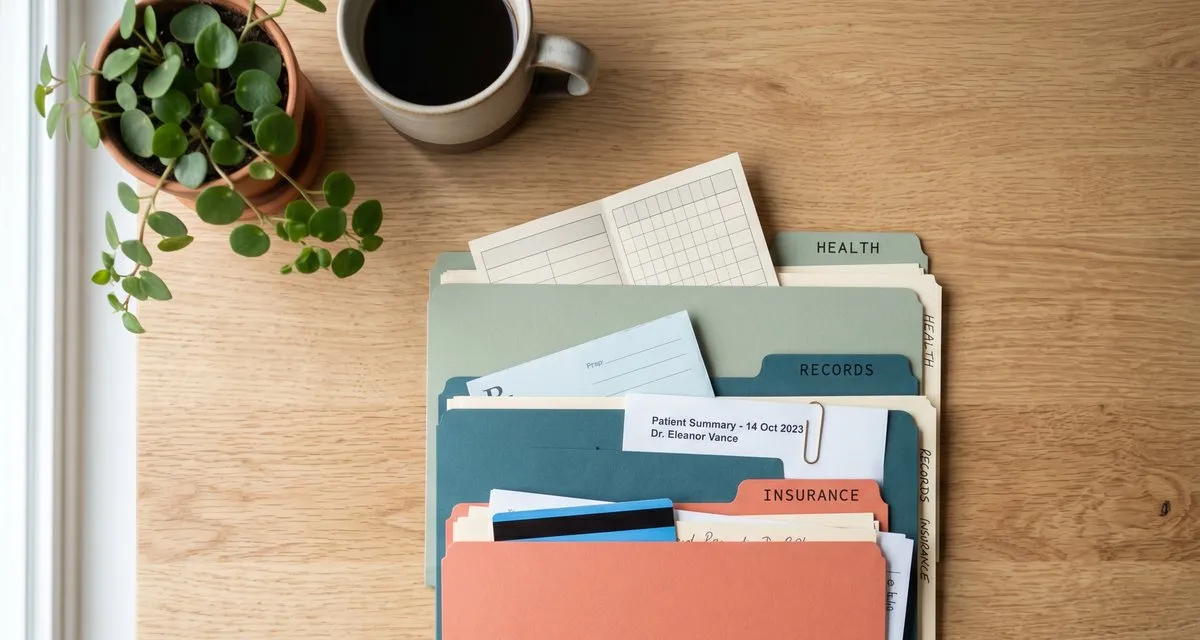
The doctor’s office asks for your child’s vaccination record. The pharmacy needs the list of what your mother is already taking. Your insurer wants the after-visit summary from a specialist you saw eight months ago.
In each of these moments, the document exists. You know it exists. It’s just… somewhere — a photo in your camera roll, a PDF from a patient portal you’d have to log back into, a paper folded in a drawer at home. And you need it now, while someone waits.
Medical records are the documents you can least afford to lose track of, and the ones that scatter the fastest. Here’s a calm way to keep them in one place — organized, private, and findable in seconds.
Why medical records are the hardest to keep track of
Most documents come from one place. Medical records come from everywhere.
A paper vaccination card from the clinic. A lab result emailed as a PDF. An insurance letter in the mail. An after-visit summary you can only download from a portal. A prescription label you photographed so you wouldn’t forget the dosage. They arrive in different formats, from different sources, at different times — and they pile up across your camera roll, your email, and a real-world drawer.
Then multiply that by everyone you’re responsible for. Your own records, your kids’, maybe a parent’s. Three people, several doctors each, one phone, no system. By the time someone asks for a specific record, it’s buried.
The problem isn’t that you’re disorganized. It’s that nothing gave these documents a single home.
Start with one folder per person
Before you scan or import anything, think in people, not files.
Give each member of your household their own folder: one for you, one for each child, one for a parent you help care for. This single decision does most of the work, because it answers the only question that matters when you’re standing at a front desk: whose record is this, and where would I look for it?
Pockli is free to start with two folders — enough to set this up for yourself and one other person today. If you’re managing records for more people than that, unlimited folders, full-text search inside your documents, and iCloud sync across your devices are part of Pockli Pro, with a free seven-day trial.
Let the folder name your records for you
The reason medical filing falls apart is the renaming. Nobody wants to type a clear name for every lab result, so the files stay called Scan_20260603.pdf and the pile becomes unsearchable.
In Pockli, each folder can carry its own rules — a naming pattern, scan quality, and text recognition — that every document follows automatically. Set them once and forget them:
- Your Emma folder names files like
Emma — Vaccination Card,Emma — Lab Results 2026-05,Emma — Referral Letter. - Your Mom folder names files like
Mom — Prescription List,Mom — Cardiology Summary. - Your own folder keeps insurance cards, specialist notes, and receipts named the same calm way.
You never rename a record again. You scan it into the right folder, and it’s named and filed the moment it’s saved.
Get every record in — paper and digital
Medical records come in two shapes, and Pockli handles both.
Paper. Scan it the way you’d scan anything — point your camera and tap. The insurance card, the vaccination booklet, the handwritten dosage instructions, the printed after-visit summary. Edges are detected and the page is cleaned up, so the result is a clear, readable PDF rather than a crooked photo.
Digital. The lab result that arrived as an email attachment, or the summary you exported from a patient portal, is already a PDF. Open it from Files or Mail, share it to Pockli, and it lands in the folder you choose — renamed by that folder’s rules, just like a fresh scan.
Either way, the record ends up in one place, named the same way as everything else, instead of living in whichever app it happened to arrive in.
Find any record in seconds
Good folders get you most of the way. Search gets you the rest.
With text recognition on, every word inside your records becomes searchable — not just the file name. You don’t have to remember which folder a document is in or what you called it. Search a medication name, a provider, a policy number, or a date, and the record comes up — even one you saved two years ago and forgot you had.
That’s the difference between knowing you scanned it and actually finding it while the pharmacist is on the line.
Why these records stay on your device
Medical records are about as private as a document gets. So it matters where they live.
In Pockli, your records stay on your device. There are no accounts to create and no servers for your documents to pass through — there are no servers. If you turn on sync, it runs through your own iCloud, between your own Apple devices, and nowhere else. Nothing about your family’s health history is uploaded to a company, analyzed, or kept anywhere you can’t see.
That stance matters most when the documents aren’t even yours. If you’re managing a parent’s prescriptions or a child’s medical history, keeping each person’s records in their own folder — on a device only you hold — is its own kind of care.
A few real moments
This is what the system feels like once it’s set up.
At the pediatrician. They need the vaccination record before the appointment can start. You open Emma’s folder; it’s the first file, clearly named. Five seconds, and the visit moves on.
At the pharmacy. They ask what your mother is currently taking. You open Mom’s folder, pull up her prescription list, and read it off — or share the PDF in one tap.
Filing a claim. Your insurer wants the specialist summary from last spring. You don’t remember which folder it’s in, so you search the specialist’s name. The document appears, because the words inside it are searchable.
School registration. Vaccination records, a birth certificate, proof of address. Each one is in its folder, named and ready, while you stand at the desk.
That’s handled
Organizing medical records isn’t about discipline. It’s about giving them a home that does the filing for you — one folder per person, rules that name every record, search that finds anything by the words inside, and the quiet certainty that none of it leaves your device.
Set it up once, and the next time someone asks for a record, you’ll have it before the conversation ends.
Download Pockli and make a folder for the person whose records you lose track of most. The first scan takes about three seconds.
Try Pockli Scan
Your documents deserve a better home.
